 Saifullah Ahad
How I built it
 SubtitleShift: Subtitle EditorLive on Google Play
SubtitleShift: how to sync SRT subtitles with video
To learn how to sync srt subtitles with video, you need to understand whether captions have a constant offset or a gradual drift. SubtitleShift provides an on-device timing studio to shift subtitle timing, fix subtitles out of sync across long scenes, and verify the result against local video playback.
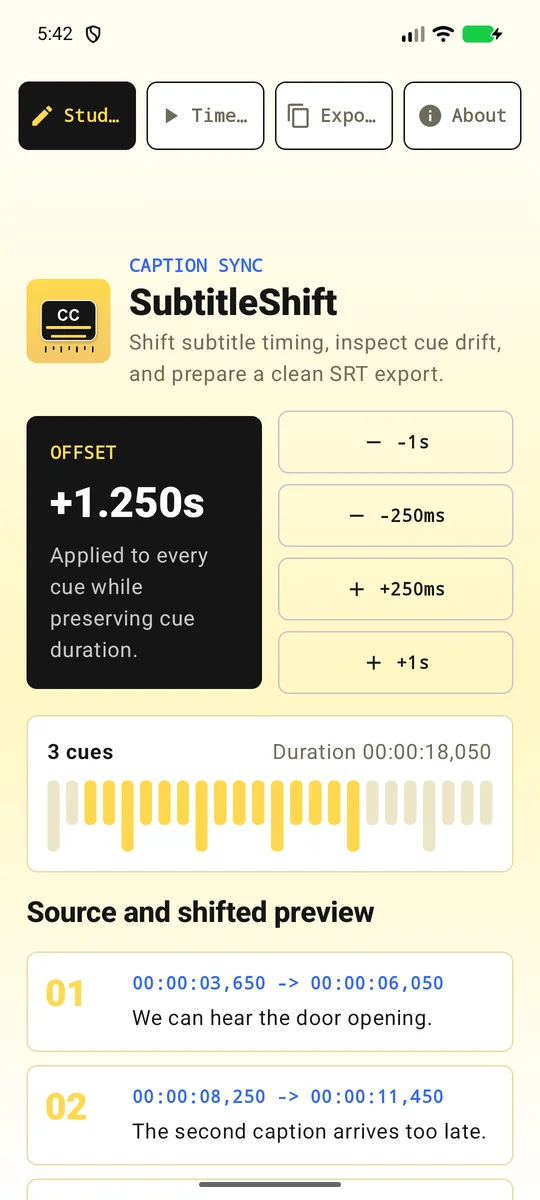
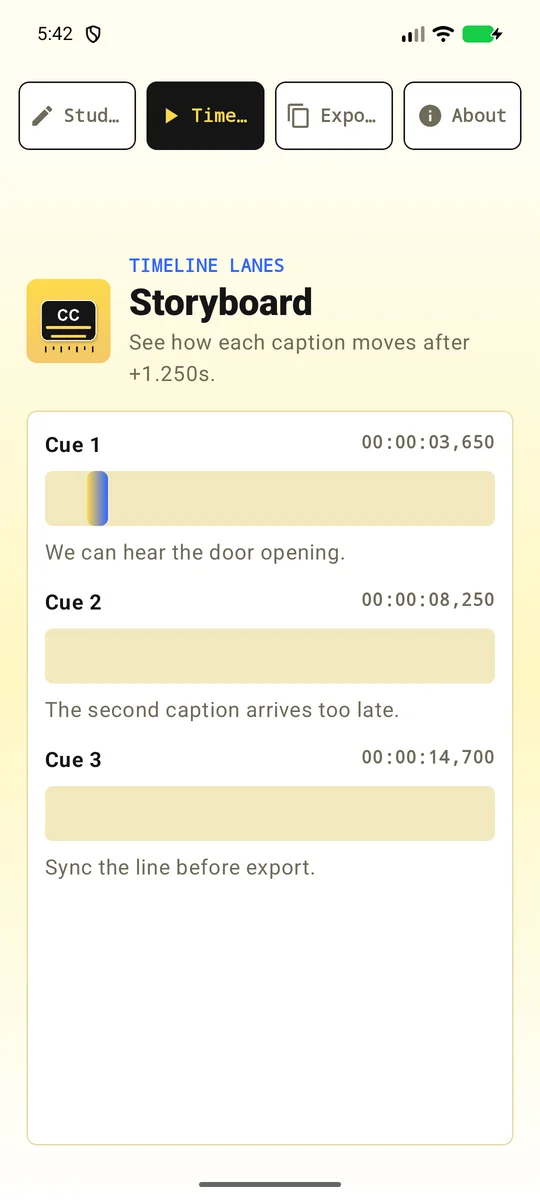
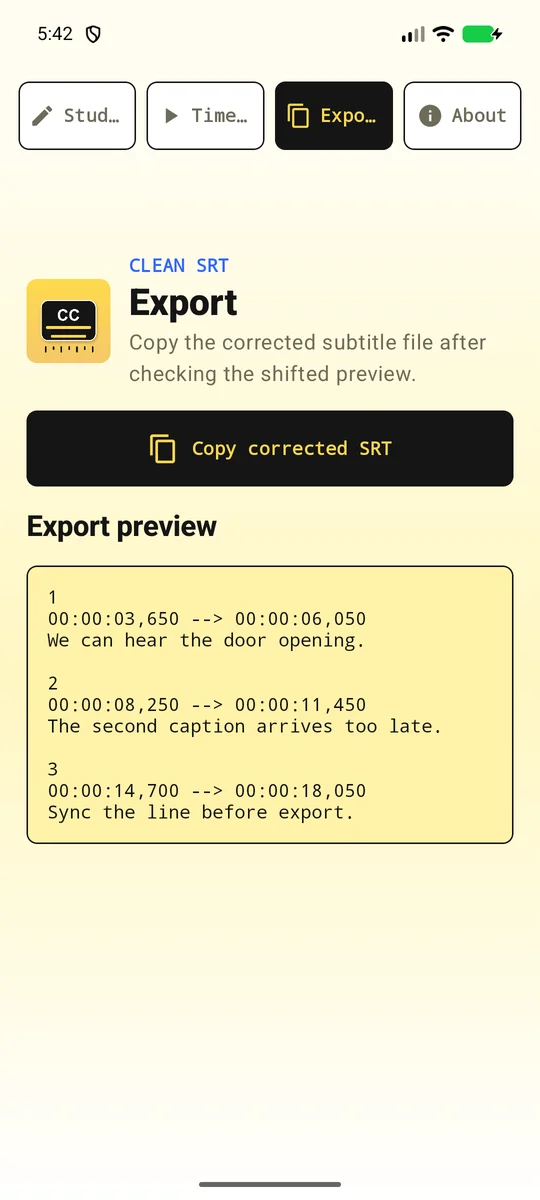
01
The problem: two distinct ways subtitles lose sync
Few things ruin a video faster than out-of-sync dialogue. When speech and subtitles do not align, viewers usually blame a corrupt file, but desynchronization almost always follows one of two distinct mathematical patterns: a fixed constant offset or a gradual timeline drift.
A fixed offset means the entire subtitle track starts a few seconds too early or too late. This happens frequently when a video file includes a studio bumper, logo, or silence pad that the original subtitle transcript omitted. A gradual drift is more insidious: the very first line of dialogue matches the actor’s lips perfectly, but by minute thirty the text lags behind, and the gap keeps growing until the end of the film. This gradual divergence occurs when subtitles timed for a 23.976 fps film source are played against a 25 fps PAL video stream or a 24 fps digital master.
02
The plan: fixed shifts, range limits, and two-point interpolation
Most mobile users who encounter bad subtitle timing have to transfer their files to a desktop computer to run heavy video editing software or upload their subtitle files to online converters. The goal for SubtitleShift was to build a dedicated subtitle repair studio right on the phone.
The specification divided timing repair into three distinct operations. First, a global timing offset tool moves all captions up to 24 hours earlier or later, with exact millisecond entry as well as quick-step buttons for one minute, one second, and 250 milliseconds. Second, a caption range selector allows isolating a specific block of captions when a sudden timing jump occurs, such as after a cut commercial break. Third, a two-point drift correction tool computes the exact linear scaling factor between two reference dialogue lines and recalculates every timestamp and caption duration across the selection.
03
The build: parsing real-world encodings and safe drafts
Subtitle files in circulation rarely adhere strictly to clean standards. SubtitleShift was built to import both SubRip (.srt) and WebVTT (.vtt) files up to 5 MB and 50,000 captions. The parser strips byte-order marks (BOM) in UTF-8, handles UTF-16 little-endian and big-endian streams, and falls back to ISO-8859-1 (Latin-1) when older legacy character sets are detected.
Crucially, editing in SubtitleShift is completely non-destructive. Android’s storage access framework gives access only to the selected document, and the original file is never overwritten automatically. A draft is maintained in app-private storage so work in progress survives background process recreation. When negative timing offsets push an early caption before zero, the engine clamps the start timestamp at 00:00:00 without truncating or shrinking the caption’s duration.
04
The preview: frame-accurate seek and drift marking
Typing raw timecodes into a box is error-prone without visual reference. SubtitleShift incorporates an optional local video preview that plays alongside the active caption track. Standard Android VideoView controls snap seeks to preceding video keyframes, which can leave playback several seconds away from spoken dialogue. To solve this, SubtitleShift’s preview uses MediaPlayer’s nearest-frame seeking mode (SEEK_CLOSEST).
As you watch a scene, you can pause at the exact moment a line of dialogue begins and tap a button to record that video position directly into the drift correction tool. Repeating this for a second dialogue line near the end of the video gives the two reference points needed to eliminate gradual frame rate drift.
05
What was tested, and what was not
The timing engine was validated with 26 unit tests covering multi-line SRT blocks, WebVTT cue settings round-tripping, clamping behavior at zero, 24-hour offset boundaries, and two-point drift mathematics. On-device validation of the release build on a Galaxy Z Flip4 test device confirmed frame-accurate seeking to 8,500 ms on a 15 fps fixture, caption search persistence, document picker exports, and complete draft cleanup upon closing the workspace.
The limits are clear and honest: The app does not perform automated speech recognition or acoustic waveform matching; a person must identify the dialogue moments. It does not transcode video or burn subtitles permanently into video frames. The store pictures above show the initial store listing captures. Video playback depends entirely on the video codecs supported by your Android device’s hardware.
06
Where it stands
SubtitleShift is live on Google Play under package ai.saifullah.subtitleshift. It solves subtitle timing mismatches directly on Android devices, exporting clean, standardized SRT and WebVTT files that work across television players, mobile video apps, and web browsers.
What this shows about how I work
- Timing errors have two distinct mathematical causes; diagnosing the shape comes before adjusting numbers.
- Negative offsets must clamp safely at zero without shrinking the duration of the spoken line.
- Real subtitle files arrive with varied encodings and malformed lines; parsers must fail gracefully and report skipped lines.
How to sync SRT subtitles with video
You do not always need complex software to fix subtitle timing. If you understand the difference between a fixed delay and a progressive drift, you can diagnose and correct either problem systematically.
1. Identify whether you need to shift subtitle timing for a fixed delay
Start your video and pause at the very first spoken sentence. Check the timestamp on your video player and compare it to the start timestamp of the first caption in your SRT file. If the video dialogue starts at 00:00:05,200 but the subtitle cue begins at 00:00:02,000, you have a 3.2-second discrepancy.
Now jump toward the end of the video—for example, at minute 45 or 90—and pause at a spoken sentence. If the delay between the audio and the caption is still exactly 3.2 seconds, you are dealing with a pure constant offset. As outlined in the VideoLAN documentation on playback synchronization, players like VLC allow testing fixed delays during playback using track synchronization hotkeys in 50-millisecond increments. To fix the file permanently, shift every timestamp in the file by +3,200 milliseconds.
2. How to fix subtitles out of sync caused by gradual timing drift
If the first caption lines up with the dialogue but later captions drift further and further out of sync over time, you are facing timing drift. This is almost always caused by a frame rate mismatch—such as a 23.976 fps subtitle file being used with a 25.000 fps video stream (a 4.1% difference, causing roughly 2.5 seconds of drift every minute).
To fix gradual drift without re-encoding your video, you need two reference points: an early caption and a late caption. Record the subtitle timestamp and the actual video time for the first reference line, then do the same for a reference line near the end. Calculate the scaling ratio between the two elapsed intervals: divide the video duration between the two marks by the subtitle duration between them. Multiplying every cue’s relative time by this ratio stretches or compresses the subtitle timeline to match the video speed exactly.
3. Handle scene cuts, commercial gaps, and timestamp boundaries
If subtitles match perfectly through the first twenty minutes and then suddenly jump out of sync by thirty seconds, you have encountered a cut point. This happens when a video has broadcast commercials or deleted scenes removed, while the subtitle track was transcribed from an uncut master release.
A single global offset or uniform drift calculation cannot repair an abrupt jump. Instead, split your adjustment into ranges: leave the captions before the cut untouched, and apply the required offset only to the captions starting immediately after the cut point.
4. Verify timecode formatting and text encoding before saving
Once your timestamps align with the dialogue, verify format compliance. Under the SubRip standard and the W3C WebVTT specification, timestamp syntax is strict. SRT requires three-part timestamps with comma-separated milliseconds (HH:MM:SS,mmm), while WebVTT requires period-separated milliseconds (HH:MM:SS.mmm) preceded by the WEBVTT header.
Save your corrected file encoded in UTF-8. Older subtitle files formatted in legacy Windows code pages or containing raw byte-order marks can cause media players to display broken characters or fail to load cues.
How the app helps: SubtitleShift handles these steps directly on your Android device—applying millisecond offsets with one tap, or computing the exact two-point drift equation when you mark two moments in your video.
More build stories: How to check a used phone before buying · How to check if your electricity meter is running fast · Eelj: a fair turn for a village’s one harvester · Practicing stuttering techniques at home · Where and when to look for the new crescent moon · How to split electricity bill with roommates · Milk fat SNF rate calculator, step by step · How to check a link before you click it · How to calculate cattle weight without a scale · How to settle who owes who in a group · Braille translator that explains every cell · Math learning gaps: where to start when a child is stuck · How to describe a car noise so a mechanic can find it · Convert Rumi to Jawi, then check the spelling · How to measure land area with phone GPS · Quran pronunciation app, tap any word to hear it · Lipi: Bangla keyboard, side by side with Ridmik · How to check an overseas employment contract · Extract data from graph image on Android
Open to work
Let's build your AI product system.
Full-time roles — remote anywhere, hybrid in Bangladesh, or on-site abroad: AI Product Builder, AI Product Manager, AI Workflow Orchestrator, Product Delivery Lead. 250+ apps live on Google Play are the proof.
Based in Dhaka, Bangladesh (UTC+6) · works any time zone · can start now · ready to relocate with visa sponsorship.