 Saifullah Ahad
How I built it
 Lipi: Bangla KeyboardLive on Google Play
Lipi: Bangla keyboard for Android, side by side with Ridmik
I am a Ridmik user myself. Years of Bangla typing on phones stand on the work Ridmik’s team started in 2012. Lipi is my own take on a Bangla keyboard — built with a different set of choices. This page puts both side by side, honestly.
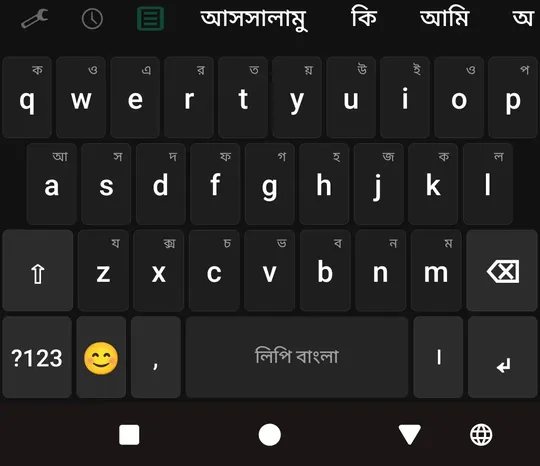
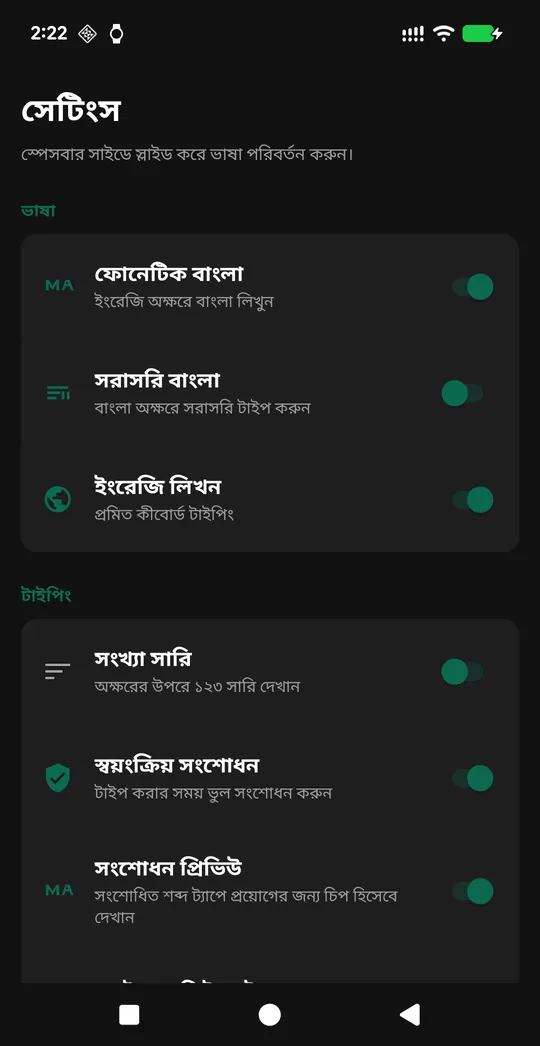
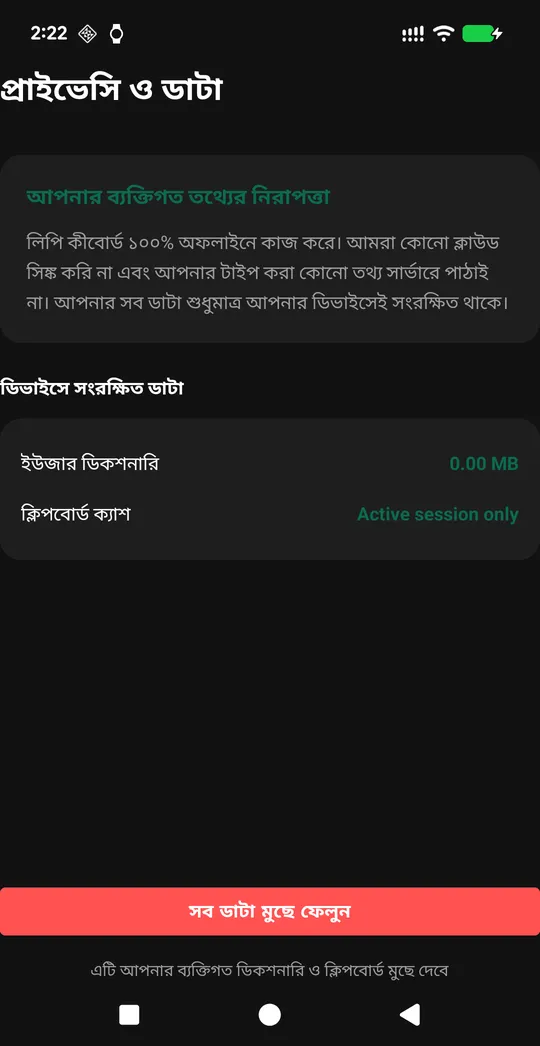
01
Why I built Lipi
Ridmik is the keyboard Bangladesh knows. After years of typing on Ridmik, once I started building apps I wanted to try a Bangla keyboard of my own. I spent my effort on a few small things: remembering the word you pick, finding the word when you spell it a little differently, the number boxes in bKash and Nagad, and fitting tablets and foldable phones.
Lipi follows the Avro Phonetic rules that Avro Keyboard created, the same rules Ridmik types with.
02
What Lipi does
Lipi is a Bangla keyboard for Android. You type in English letters and it converts them to Bangla using the Avro Phonetic standard. Here is what each main feature does, with a plain example.
Avro Phonetic typing. Type
ami bangla likhchiand see আমি বাংলা লিখছি appear. The full Avro rule set is implemented: consonants, vowels, conjuncts, the backtick escape, and capital letters for hard sounds (Tfor ট,Dfor ড,Shfor শ).Learning loop. Tap a suggestion once, and Lipi records the link between what you typed and the Bangla word. The next time you type the same thing, the composing text itself shows your learned word — no need to tap again. The literal Avro conversion stays as a correction chip in case you want it.
Variant-aware suggestions. Type
foneand Lipi also looks upphone→ ফোন. Typevaloand it findsbhalo→ ভালো. Common Avro spelling confusions are handled so you reach the word you meant.Probhat and Avro Direct layouts. Two fixed-Bangla layouts for people who prefer typing Bangla characters directly. প্রভাত (Probhat) is the standard open-source positional layout. অভ্র সরাসরি (Avro Direct) puts each key’s Avro phonetic Bangla equivalent on the QWERTY positions.
Numeric keypad for payment apps. When you focus a number field (in bKash, Nagad, or an OTP screen), Lipi switches to a numeric keypad automatically. It sends the digits the way those apps expect, so they are not lost.
Adaptive keyboard height. Lipi scales itself based on screen shape: shorter on landscape phones, taller on tablets in portrait. On a foldable phone, when you switch screens it measures again so the bottom row is not cut off.
Grapheme-aware backspace. Bangla letters can span several small pieces joined together. One backspace tap deletes the whole visible character, not just one piece of it.
Bilingual voice handover. The voice button asks the system’s speech recognizer to listen in Bangla when the keyboard is in Bangla mode, and in English in English mode. Lipi never touches the microphone itself.
Settings in your language. When the keyboard is in Bangla mode, the settings page renders in Bangla. In English mode, it renders in English. No separate “UI language” toggle.
Clipboard, snippets, user dictionary. A clipboard row above the keyboard holds your recent copies. Quick-text snippets let you save and insert paragraphs with one tap. The user dictionary lets you view, add, and delete learned words.
Taka sign. The symbol layout includes ৳ on the first page, alongside standard punctuation.
03
Side by side with Ridmik
Both keyboards type Bangla well. Here is where each one does things differently.
Feature Lipi Ridmik Keyboard Avro Phonetic Yes Yes (ridmik.com) Probhat layout Yes Yes — plus Jatiyo, Arabic, Chakma (ridmik.com/keyboard) iOS version Android only Android and iOS (ridmik.com) Themes Light, Dark, Auto (three themes) 100+ themes and a built-in theme builder (ridmik.com) Stickers and emoji Standard Android emoji Sticker and emoji set (ridmik.com/keyboard) Predictive suggestions Yes, with on-device learned dictionary Yes, with predictive suggestions and “learn from your typing” (ridmik.com/keyboard) Voice typing Yes — uses your phone’s voice typing Yes — voice typing (ridmik.com) Learning loop (tap once, next time automatic) Yes — composing text changes to your picked word Not stated on its listing Variant-aware lookup (fone→phone) Yes Not stated on its listing Adaptive height for foldables and tablets Yes — automatic by screen shape Keyboard height adjustment (ridmik.com/keyboard) Number field auto-detection (bKash, Nagad) Yes — switches to numeric keypad Not stated on its listing Grapheme-aware backspace Yes — deletes whole visible Bangla character Not stated on its listing Settings in Bangla Yes — follows keyboard language automatically Not stated on its listing Ridmik has strengths Lipi does not match: a theme builder with over a hundred themes, sticker packs, Jatiyo and Chakma and Arabic layouts, and an iOS version. People who like customizing how their keyboard looks, or who need layouts for Chakma or Arabic script, or who use an iPhone, may prefer Ridmik.
What Lipi asks for on your phone
Lipi asks for no permissions: no internet access, microphone, contacts or storage. Voice typing opens your phone’s own voice typing app.
04
What Lipi does not do yet
Lipi does not support swipe-to-type (gesture typing). Manual split-keyboard width adjustment for wide screens is not yet available. The app is Android only and has no iOS version.
05
A thank-you to Ridmik’s makers
Ridmik Labs has been building Bangla typing tools since 2012, and years of Bangla typing on phones stand on their work.
What this shows about how I work
- A keyboard is used in every app on the phone, money and OTP boxes included, so small cases matter.
- One backspace must remove one whole Bangla letter. When it deletes only a piece of a letter, the keyboard feels broken.
- Respect for an established app means showing what yours does, not tearing theirs down.
How to type Bangla on Android with a phonetic keyboard
Phonetic typing lets you write Bangla using English letters. You type how the word sounds, and the keyboard converts it to Bengali script. Here are the steps.
1. Install a phonetic Bangla keyboard
Open Google Play and install a Bangla keyboard that supports Avro Phonetic input. Lipi is one such keyboard. Ridmik Keyboard is another widely used one.
2. Turn it on in keyboard settings
Go to your phone’s Settings → System → Languages & input → On-screen keyboard → Manage keyboards. Enable the keyboard you installed. Android will show a warning that the keyboard can observe your input — this is a standard system warning for every third-party keyboard.
3. Switch to the keyboard
Open any app where you type (Messages, WhatsApp, Facebook). Tap the text field, then tap the keyboard icon in the bottom navigation bar or notification area to select your new Bangla keyboard.
4. Type Bangla in English letters
With the phonetic layout active, type the Bangla word using English letters as it sounds. Examples:
ami→ আমিtumi kemon acho→ তুমি কেমন আছোbangladesh→ বাংলাদেশalhamdulillah→ আলহামদুলিল্লাহ
Capital letters matter: T types ট (hard T), while t types ত (soft t). Sh types শ.
5. Use suggestions and learn words
A suggestion bar above the keyboard shows possible Bangla words as you type. Tap a suggestion to insert it. In Lipi, tapping a suggestion also teaches the keyboard to use that word automatically the next time you type the same English letters.
How the app helps: Lipi handles the Avro Phonetic conversion on the device, shows variant-aware suggestions (so spelling confusion like fone vs phone still finds the right Bangla word), and remembers your picks for next time.
More build stories: How to check a used phone before buying · How to check if your electricity meter is running fast · Eelj: a fair turn for a village’s one harvester · Practicing stuttering techniques at home · Where and when to look for the new crescent moon · How to split electricity bill with roommates · Milk fat SNF rate calculator, step by step · How to check a link before you click it · How to measure land area with phone GPS · Quran pronunciation app, tap any word to hear it · How to calculate cattle weight without a scale · How to settle who owes who in a group · Braille translator that explains every cell · Math learning gaps: where to start when a child is stuck · How to describe a car noise so a mechanic can find it · Convert Rumi to Jawi, then check the spelling · How to sync SRT subtitles with video · How to check an overseas employment contract · Extract data from graph image on Android
Open to work
Let's build your AI product system.
Full-time roles — remote anywhere, hybrid in Bangladesh, or on-site abroad: AI Product Builder, AI Product Manager, AI Workflow Orchestrator, Product Delivery Lead. 250+ apps live on Google Play are the proof.
Based in Dhaka, Bangladesh (UTC+6) · works any time zone · can start now · ready to relocate with visa sponsorship.