 Saifullah Ahad
 ShiftSpliceLive on Google Play
SAIFULLAH AHAD / BUILD STORY
Shift handover log: how to write a handover note people can act on
A shift handover log is a written record that tells the next person what is happening, what is unfinished and who is holding each piece of work, so nothing depends on memory.
Why the note matters
The UK Health and Safety Executive treats handover as a safety topic in its own right. On its page Shift handover it says:
"The goal of handover is the accurate reliable communication of task-relevant information across shift changes or between teams thereby ensuring continuity of safe and effective working."
Health and Safety Executive, page dated 2024-10-29
The same page asks for handover that is done "using both verbal and written communication". So the written note is half of the job. It does not replace the conversation.
What to put in a handover note
Write for someone who was not there. Five short parts cover most workplaces:
- 1. The settingWhich shift, which place or unit, who is handing over and who is taking over. A note with no names cannot be questioned later.
- 2. What is going on nowCurrent state, what changed during your shift and what you expect next. Facts first, guesses marked as guesses.
- 3. What could hurt someone or stop the workSafety notes and broken or unreliable equipment get their own lines so they are not buried.
- 4. PeopleAnyone the next shift must keep in mind: a visitor, a contractor, a colleague who is away, a customer waiting for an answer.
- 5. Unfinished workEach open task with the next action written out, how urgent it is and when it is due.
Keep each line short enough to read standing up. If a line needs a paragraph, write the first sentence down and give the rest in the face-to-face talk.
Who owns what
The most common gap is an item that everyone has seen and nobody holds. Give every unfinished item one owner, and say whether that owner is a person, a role or a team.
- Before the shift ends: the outgoing person lists every open item and names who holds it. If the answer is unclear, that item gets raised in the talk.
- At the changeover: the incoming person reads each item back. Reading back is how a misunderstanding shows up while the outgoing person is still in the room. The HSE page describes a similar step as "cross-checking of information by in-coming personnel as they assume responsibility for the task".
- After the changeover: the incoming side holds each item unless the note says otherwise. Anything the outgoing side still holds is written down as such.
Where the talk happens matters too. In its primer Handoffs and Signouts, the US Agency for Healthcare Research and Quality writes that "effective handoffs require an environment free of interruptions and distractions, allowing for the clinician receiving the handoff to listen actively and engage in a discussion when necessary." That primer is about hospitals, but a quiet minute at the handover is a fair thing to ask for in any workplace.
How to close the handover
- Go through the list once more and check that no unresolved item is missing an owner.
- Add a short closing summary: any decision made, and any context that only fits in spoken words.
- Give the next shift a copy they can open without you, on paper or as a file.
- Mark finished work as finished, so the next list starts short and honest.
A shift handover log book on a phone
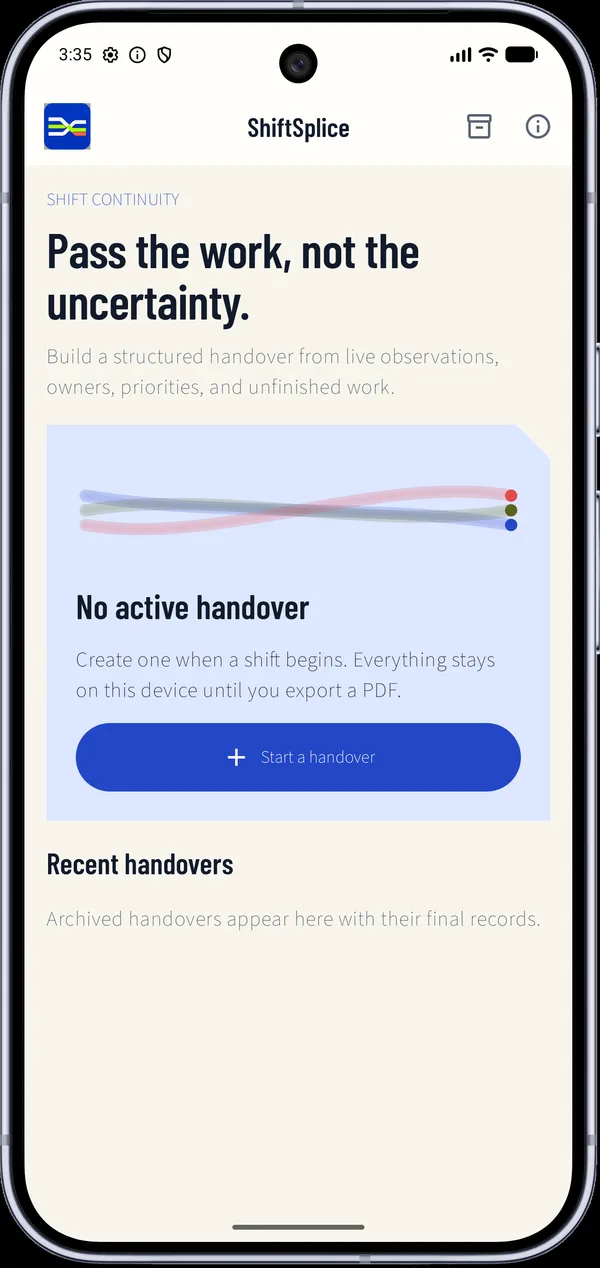
I built ShiftSplice: Handover Log as a shift handover log book for an Android phone. It follows the parts above. Its start screen says "Pass the work, not the uncertainty." and shows "No active handover" until you press "Start a handover".
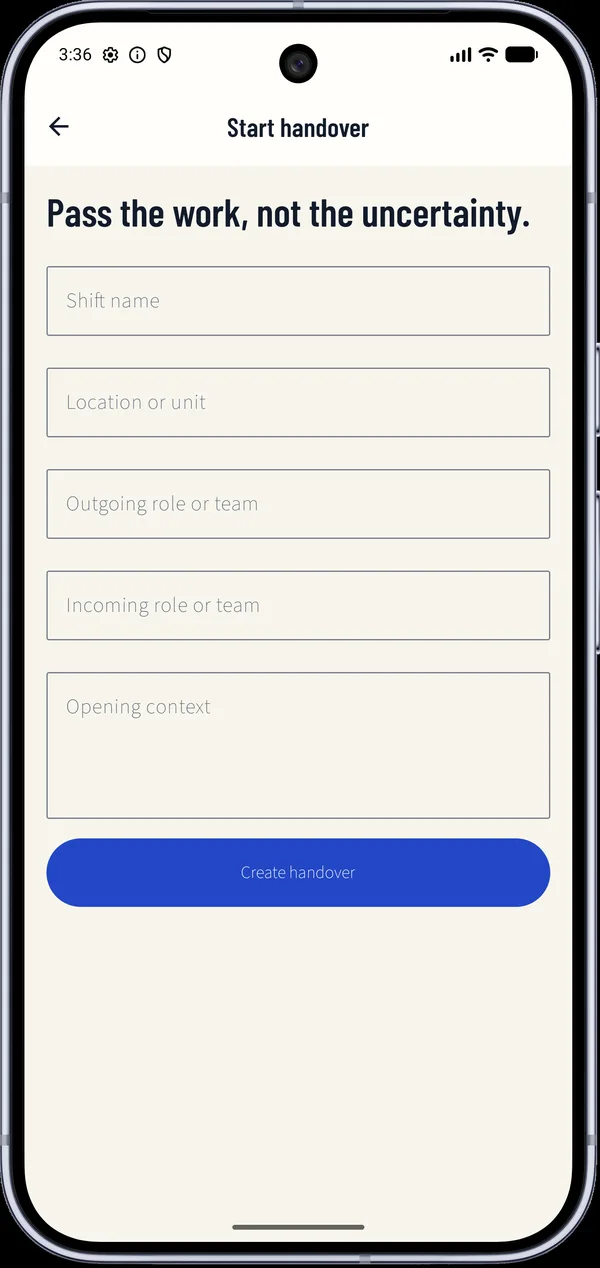
The form asks for the setting: "Shift name", "Location or unit", "Outgoing role or team", "Incoming role or team" and "Opening context". Then "Create handover" opens the "Transfer board".
On the board each item gets a category: Situation, Safety, Equipment, People or Follow-up. It also gets a priority (Routine, Important or Urgent), an "Owner", an optional "Due time" and a status that moves through Open, In progress, Handed over and Resolved.
Before the shift changes, the review screen asks "Ready for the incoming shift?" and says "All unresolved items have an owner." when that is true. If it is not true, it shows how many unresolved items still need an owner. There is a "Closing summary" box. "Create PDF handover" saves a PDF where you choose, through Android's document picker, and "Archive handover" files the record.
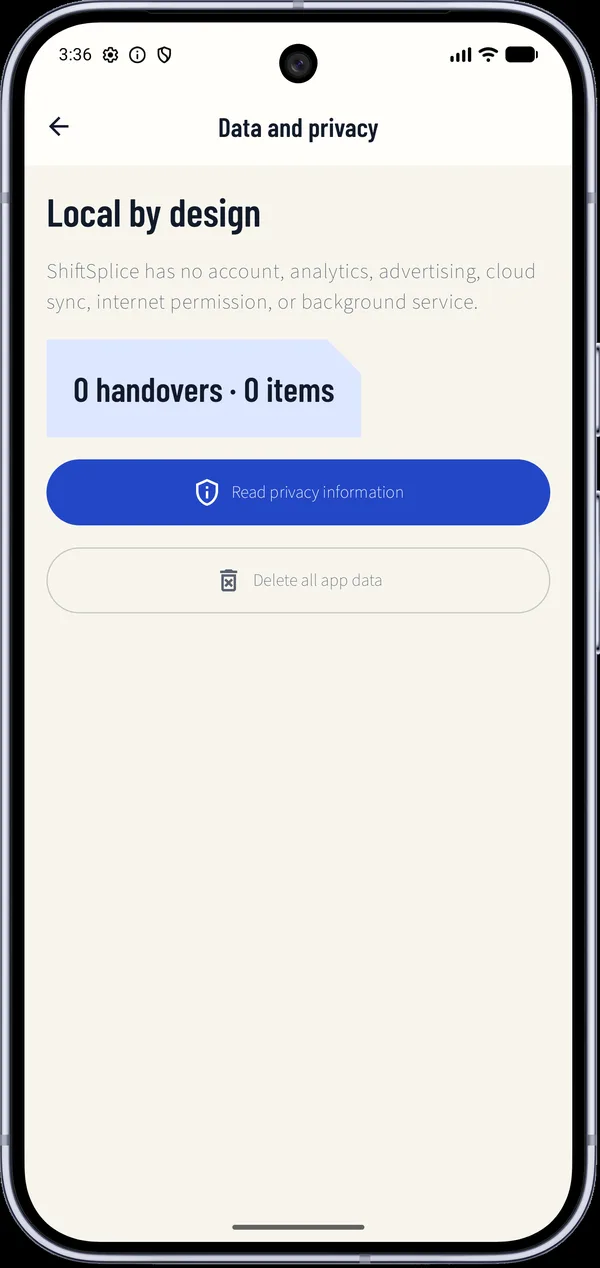
The app has no account and no internet permission, and Android backup is turned off. The "Data and privacy" screen says "Local by design" and has "Delete all app data". The data handling page has the full text.
Honest limits and what was not checked
- It is a documentation aid. It is not a safety system and not a legal or regulated record, and I make no claim that it meets any industry rule.
- The board is not shared between phones. The next shift sees it through the PDF, or on the same phone.
- It gives no reminder when a due time passes.
- The store pictures show empty screens, not a filled board.
- I checked it on phones, not in a real workplace.